FILE-FIRST EDITING · BROWSER HANDOFF

Edit the Project File. Let the Browser Finish the Video.

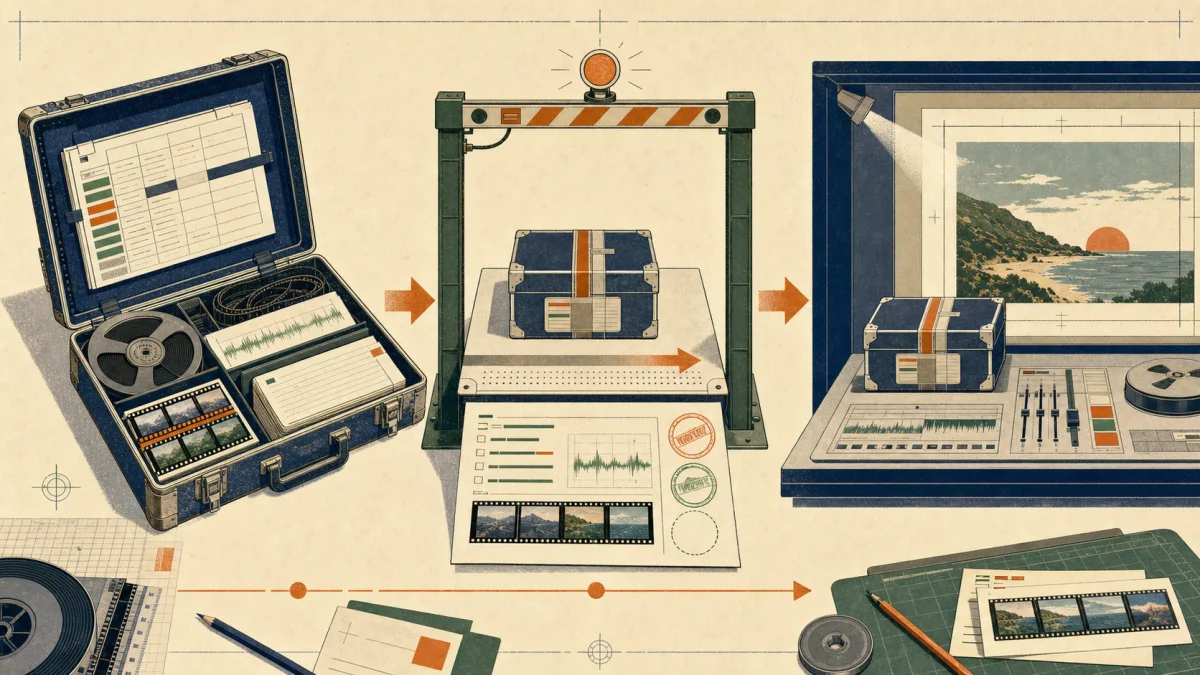
The most interesting part of our Agent editing work is not a more accurate way to drag a clip. It is the decision to stop treating the browser as the editing API. Timeline Studio can now inspect a portable .timeline archive, apply a versioned command plan to its project state, write a new archive without disturbing the bundled media, and hand that editable result back to the browser. The browser still does the work it is good at—decoding assets, showing motion and sound, supporting visual judgment, and rendering the final composition—but routine structural edits no longer depend on a cursor landing on the right pixel.

Edit the Project File. Let the Browser Finish the Video. visual guide

CHECKLIST

Practical review checklist

  1. 01Inspect before editing; never guess a clip ID or assume the archive revision is still current.
  2. 02Keep one operation ID for one editorial intent so retries cannot apply the same move or trim twice.
  3. 03Use project.diff or dryRun before a write whenever timing or linked clips could change together.
  4. 04Write to a new archive path and confirm the original media entries are still present and byte-identical.
  5. 05Reopen the result in the browser and review picture, captions, audio links, transitions and final duration.
  6. 06Do not claim headless rendering: today the command layer loads, inspects, edits and saves; the browser finishes media work.
01

A browser is an excellent studio and an awkward protocol

A browser editor gives people exactly what they need: a monitor, a timeline, sound, direct manipulation and immediate feedback. Those strengths do not automatically make its interface a good machine contract. A browser Agent that edits by clicking buttons and dragging handles must reconstruct hidden state from whatever happens to be visible. A panel can close, a coach mark can intercept a click, a responsive breakpoint can move a control, and a four-pixel drag can mean selection instead of trim. Even when the gesture succeeds, repeating it after a timeout may move the clip twice. The problem is not that browser automation is useless. It remains valuable for capabilities that only exist in the interface and for final visual verification. The problem is asking a visual interface to provide revision control, idempotency and transactional guarantees that it was never designed to express.

02

The .timeline archive is the handoff object

Timeline Studio already had a better boundary: its portable .timeline project. The file is a ZIP archive whose project.json describes the editable state while the remaining entries carry the media required to reopen the work. That separation turns an edit into a controlled metadata transformation instead of a sequence of gestures. The Agent can read clip timing and relationships from structured data, modify only registered fields, and write another portable project. The media does not need to be decoded, uploaded or rewritten merely because a caption changed or a video was split. More importantly, the output remains an ordinary Timeline Studio project. It is not an opaque render and it does not trap the next editor—human or Agent—inside the tool that made the change.

03

Inspection replaces screen scraping with facts

The command runner begins with reads. project.inspect reports the schema version, revision, duration, aspect ratio, track counts, applied operation IDs, warnings and the media inventory inside the archive. track.inspect returns ordered summaries for visuals, captions, audio, stickers or overlays. clip.inspect resolves one globally unique clip and exposes its timeline position, source mapping, playback rate, relationships and editable properties. These reads matter more than a long menu of writes. An Agent that cannot establish which clip it is changing, what source range that clip represents or whether the project changed since the last observation should not be allowed to edit. The inspect-first rule turns the project from an inferred screen state into evidence that can be logged, tested and reviewed.

04

A command plan records editorial intent

After inspection, the Agent writes a small JSON plan rather than a screenplay for the mouse. The envelope declares schemaVersion 1, the input project, baseRevision, whether the run is a dry run, a list of operations and an optional output path. Each operation has its own ID and type. The current registry covers visual trim, split and reorder; timed movement and resizing; caption add and update; caption-to-audio unlinking and relinking; and deletion of caption or audio clips. These operations are deliberately narrower than everything the editor can do. That is healthy. A registered command has explicit units, required identifiers, validation rules and a predictable failure. An unregistered creative decision can remain in the browser until its semantics are mature enough to become a command.

05

Revision checks stop an edit from landing on the wrong cut

Suppose an Agent inspects revision 7, then an editor opens the same project and changes a caption. Applying the old plan as if nothing happened would be a silent overwrite. The runner therefore compares baseRevision with the revision stored in commandState. A mismatch produces a revision conflict and leaves the project untouched. This is optimistic concurrency in a form that makes sense for an editable video archive: read a known state, formulate an edit for that state, and refuse to pretend the precondition still holds when the state has moved on. The remedy is not to force the old plan through. It is to inspect again, understand the new cut and decide whether the original editorial intent still applies.

06

Operation IDs make retries safe

File tools, browser downloads and remote Agent sessions can all time out after useful work has actually completed. A naive retry can turn a five-second move into a ten-second move or split an already split clip. Timeline Studio stores applied operation IDs inside the project itself. When a later run encounters an ID that has already succeeded, it does not apply that editorial action again. Persisting the IDs in the archive is important: idempotency survives a new terminal process, another Agent channel and a handoff to another machine. The ID describes the intent, not the attempt. Retrying the same intent keeps the same ID; requesting a genuinely new move gets a new one.

07

The batch is a transaction, not a half-finished edit

A useful edit often spans several related clips. Moving a voiceover must shift its linked captions. Resizing it may need to clamp their ends. Deleting audio must detach captions without losing the information needed to explain the relationship. The command engine clones the project and applies the plan to that working copy. If any operation fails validation, the original input object is not partially mutated. Only a successful batch increments the revision and returns the next project. This all-or-nothing behavior is less dramatic than a robotic drag demo, but it is what makes unattended editing trustworthy. The user receives either the intended coherent change or a structured error identifying the failed operation—not an archive whose first three edits landed and fourth one did not.

08

Source time survives trim, split and reorder

Video clips live on at least two clocks: their position in the edited sequence and their range inside the original media. The visual.trim operation validates sourceIn and sourceOut against the clip's existing source range, accounts for playback rate and remaps keyframes into the retained local interval. visual.split creates a new stable clip ID for the right side, advances its sourceStart and divides sourceDuration rather than duplicating the original beginning. visual.reorder changes sequence order without rewriting the media. Encoding these rules in pure project-state reducers is safer than hoping a UI gesture happened to update every dependent field. It also makes the same semantics reusable by a future MCP transport or by the React interface itself.

09

Diff first, write second

Before producing a new file, project.diff runs the plan through the same validation and reducer path and reports a before-and-after summary without writing an archive. The legacy dryRun flag offers the same safety for project.run plans. The current diff is intentionally modest: revision, duration, ratio and track-level facts rather than a cinematic explanation of every changed field. Even this summary is useful for catching a wrong base revision, an impossible source range, an unknown operation or an unexpected duration shift before bytes are written. Richer semantic diffs are still on the roadmap. The important design choice is already present: previewing a structural edit is a first-class command behavior, not a screenshot taken after the fact.

10

Writing the archive does not rewrite the media

When a plan succeeds, the runner replaces project.json in the unzipped entry map, updates the archive timestamp and creates the requested output .timeline file. The other ZIP entries stay in the map. Integration tests place a voice WAV in the archive, run a command and verify that the resulting media bytes are still exactly 1, 2, 3. That tiny fixture proves a large architectural property: a metadata edit does not silently transcode, omit or substitute the user's material. The output is written to a separate path unless the caller deliberately chooses otherwise, which preserves a recoverable input and makes the before-and-after pair easy to inspect or version.

11

Then the browser takes the baton

The file-first layer is not a headless replacement for Timeline Studio. It currently loads, inspects, edits and saves portable projects; it does not yet probe arbitrary media, import every asset type, run speech or avatar generation, preview frames, or render the finished video. Those tasks return to the browser. The edited archive is opened in Timeline Studio, where the media can be decoded and the result can be watched and heard in context. A person can judge rhythm, lip sync, caption readability, transitions and framing—qualities that are poorly represented by JSON alone—and then use the existing browser export pipeline. The architecture is a relay: deterministic structure first, perceptual evaluation and media execution second.

12

The same registry can outlive every transport

The command-line interface is only the first doorway into the command engine. A future MCP server should call the same registry rather than implement a second editor. The React interface can eventually dispatch those same operations so a manual trim and an Agent trim share validation, source-time rules and history semantics. This prevents a common failure in automation products: three execution paths that gradually produce three incompatible project models. The durable layer is not the CLI syntax, one Agent brand or the current panel layout. It is the versioned project state plus pure reducers, stable identifiers and validation. Transports may change; editorial meaning should not.

13

What this approach buys—and what remains unfinished

The immediate gain is not fully autonomous filmmaking. It is a smaller, more honest automation surface. Reads are factual, registered changes are reviewable, stale writes fail, retries are safe, batches do not leave partial state, and the deliverable stays editable. The next work is equally concrete: broader asset and overlay commands, track state and property operations, transcript inspection, richer field-level diffs, persisted undo checkpoints, deterministic media ingestion, progress and cancellation for long jobs, and eventually a render path backed by the same project core. Until then, browser control remains a compatibility path for unsupported actions, and final playback remains mandatory. The useful principle is already stable: edit the project as data when the decision is structural, then give the project back to the browser when the decision must be seen and heard.

REFERENCE

Frequently asked questions

Is this browser automation?

Not for registered edits. The Agent reads and changes the .timeline archive through the command engine. The browser is used afterward for capabilities that remain browser-only, plus preview, human review and final rendering.

What is inside a .timeline file?

It is a portable ZIP archive containing project.json and the project's archived media entries. The command runner updates project metadata while preserving the media entries.

Can the command runner render a final MP4 today?

No. The current runner loads, inspects, diffs, edits and saves projects. Media probing, generation and rendering still belong to the browser workflow.

Which edits are supported now?

The current registry supports visual trim, split and reorder; timed move and resize; caption add, update, link and unlink; and deletion for caption or audio clips.

Why not just edit project.json directly?

The command engine adds schema validation, revision preconditions, stable operation IDs, link-aware reducers, transactional failure and a predicted diff. Raw JSON mutation would bypass those safeguards.

Does an edit modify the original media files?

No. The tested archive path replaces project.json and preserves the other ZIP entries. A CLI integration test verifies that fixture audio bytes remain unchanged after an edit.

Why reopen the project in the browser?

Structured facts cannot prove that picture, sound, pacing and captions feel correct. Reopening validates the portable archive and gives a human the perceptual review and export controls needed to finish the video.