01Choose an image with a source that can be traced
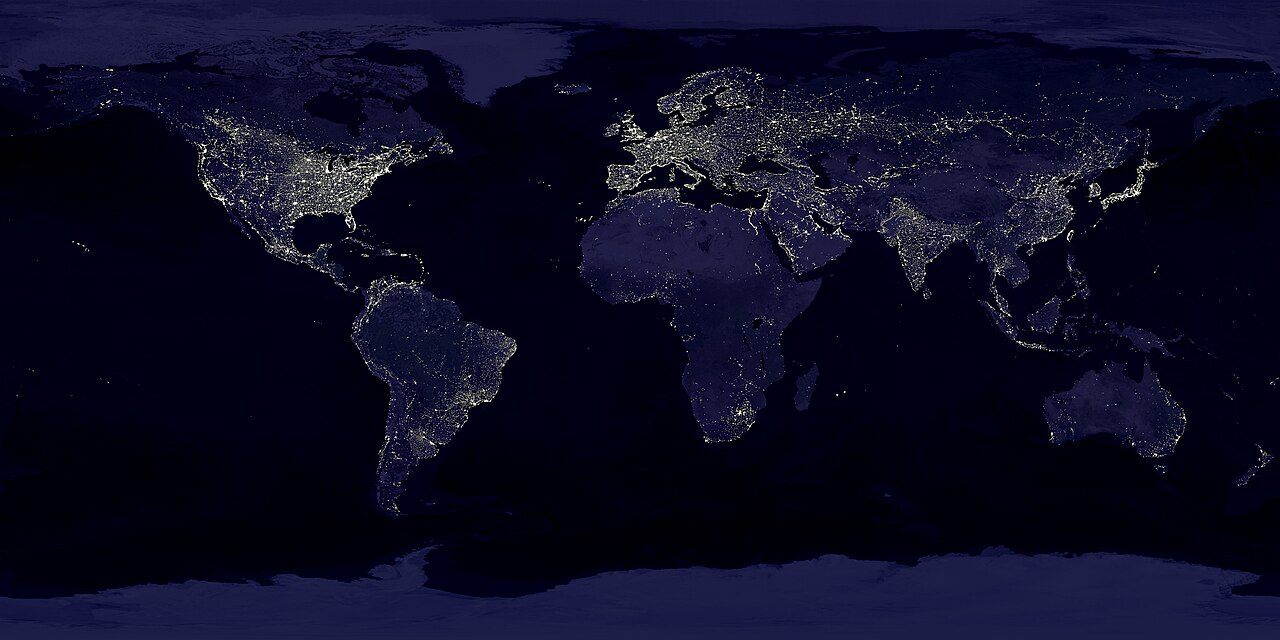
The editing brief is small: place an Earth-at-night image in a four-second visual, then use the same image as an overlay. A search for Earth NASA returned a useful historical composite, “Earth’s City Lights by DMSP, 1994–1995.” Its date matters: using it to illustrate present-day city growth would require a different source. We selected Commons page 233702 and saved the complete search response before working with its media URL.
The individual source page names the data and image contributors and marks the image public domain in the United States. Its API record supplies the creator and the same label, but no separate LicenseUrl. The production mapper therefore uses the description page as the license link. Our companion source ledger retains the title, creator, page, label, access date and exact downloaded-file hash, rather than inventing a missing license address.
This is a check of one known source. It does not establish a blanket permission for every item returned by an open catalog. For this case, retaining a credit also makes it possible to distinguish the historical data from a current image or a new AI-generated illustration.
Compare a main-track import with an overlay import
We passed the same mapped image into the production drop action twice: first to the main visual track, then to an overlay. The offline transport returned the already downloaded JPEG. The first call created a preparing segment, resolved the remote bytes and updated that segment. The second call reused the cached Blob, so the two successful drops required one fetch in the replay.
Five named source fields after each production path| Checkpoint | Main visual | Overlay |
|---|
| Provider, creator and source page | All retained | All absent |
| License label and license URL | Both retained | Both absent |
| Saved and reopened archive | Five fields still present | Five fields still absent |
| Embedded JPEG bytes | Identical to input | Identical to input |
The difference has a specific cause. The main remote-drop path calls updateVisualAssetInTimeline, which spreads the resolved asset’s extra metadata onto the segment. The overlay constructor selects its own fields and omits the five source fields. Our result is limited to these two remote-image paths; it should not be extended to every insertion method.
The production project-export callback wrote an actual two-track .timeline archive, and the production reader reopened it. Both embedded images have the input hash. We then exported an overlay-only project: none of the five named source fields appear anywhere in its payload. The file remains packaged with its media, but the export step cannot reconstruct information lost earlier. The parsed overlay-only metadata makes that omission inspectable.
Keep a companion record before the source information is lost
For this snapshot, save the source record while the catalog still has it. Use the completed JSON ledger and plain-text credit as concrete examples. They name the work, its contributors, the source page, its stated status, the date checked and the exact file used. The ledger also records both placements and distinguishes the original dimensions from the downloaded dimensions.
These files were prepared by this experiment. They are separate from the editor’s exported archive and do not demonstrate an automatic credits feature. Keep them beside the project, and review them when replacing a clip or removing the main visual. Otherwise, an overlay may remain in the edit after the only surviving source record has been deleted with another track.
For the image in this case, the saved credit names NASA GSFC and NOAA NGDC data contributors and the two NASA GSFC image creators, and links back to Commons. For another asset, copy the applicable source information from that asset’s own page. A useful handoff includes the selected bytes and their source record; a successfully packaged project alone does not establish that both survived.
Repeat the case and read its limits
Download the complete offline reproduction kit, extract it and run node reproduce.mjs with Node.js 22 or later. It requires no account, API key, installation step or network. The runner checks 21 source and vendor fingerprints, reads the real JPEG dimensions, executes the two drops, writes both archives and compares the retained bytes and fields. The recorded report includes state, requests, notifications and assertion results; the method notes identify every substitute.
A separate negative case makes the replayed media request return HTTP 503. The production action removes its temporary main-track segment and preserves the earlier clip. This is an injected failure, not an observed Wikimedia outage. It gives evidence for this cleanup branch without turning a source review into a claim about every network failure.
The reviewed version is commit 68980d1. Public search and image download used curl; the subsequent execution used Node, immediate hook callbacks and in-memory state setters. The chosen creator string is plain text, and unused media-decoding boundaries throw if reached. We did not test the hosted editor, React scheduling, browser CORS, video/audio decoding, Pexels, Openverse or a final video render. Those checks remain separate from the concrete finding here: this source version preserves the selected image’s bytes across both tracks while handling their provenance differently.
Public request and input fingerprints · Pinned production source · Execution log · Download size and SHA-256

.jpg)