PRACTICAL GUIDE
How to Turn a Photo into Useful Line Art
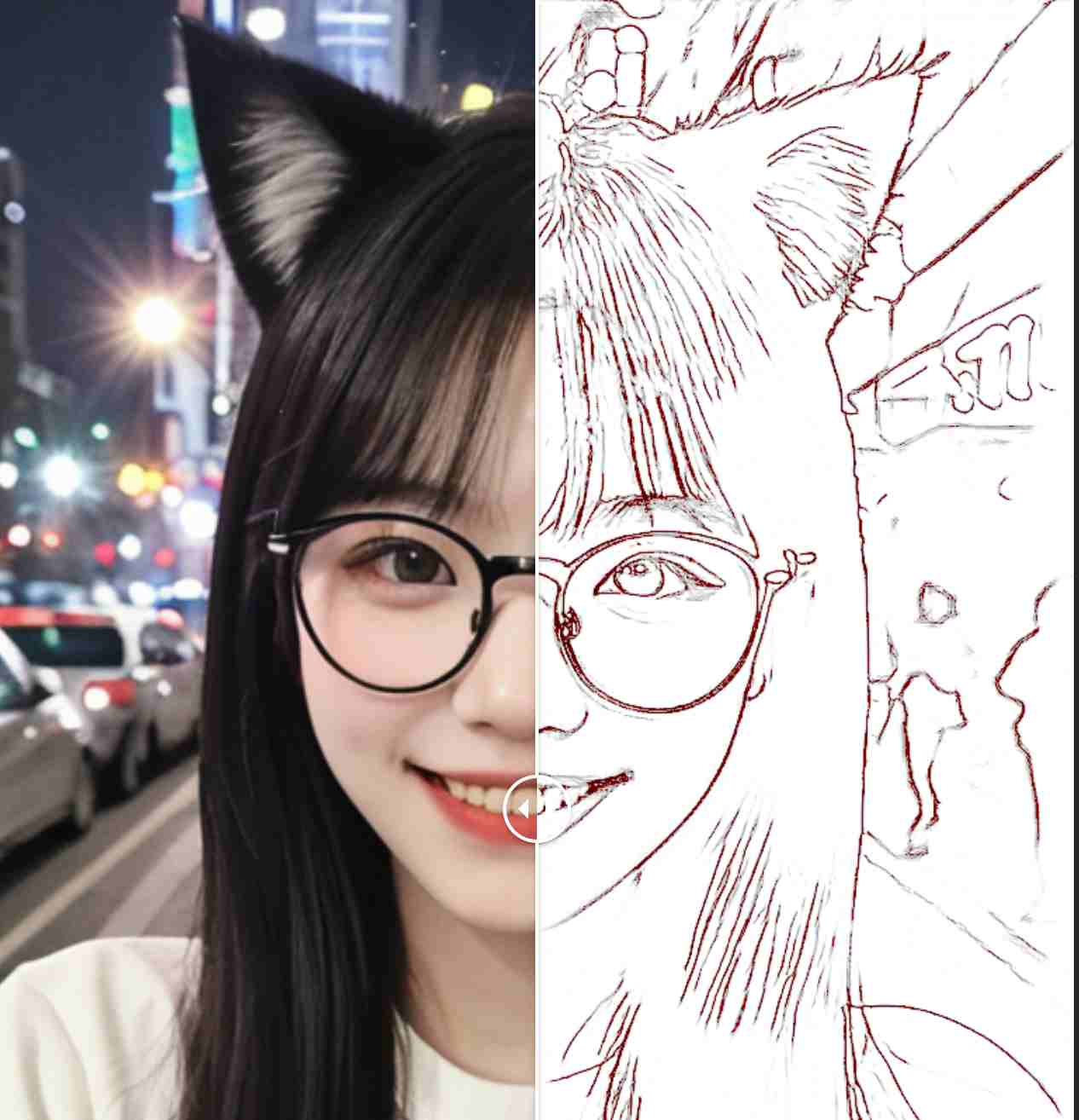
Use a clear subject and inspect the extracted lines at the size you need. The output is a raster image, so cleanup may still be needed.
LINE-ART LAB · SEPTEMBER 7, 2026
A cup keeps its shape. A cat loses part of its gaze.
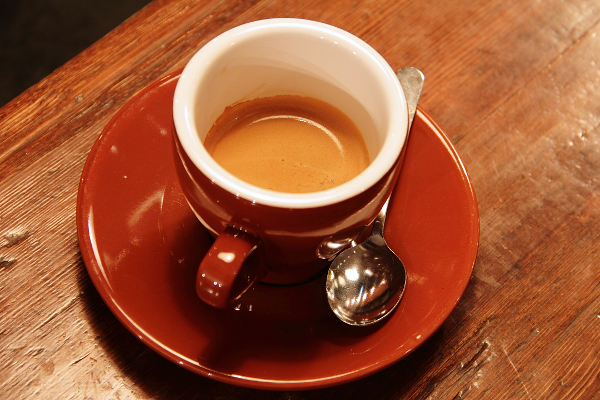
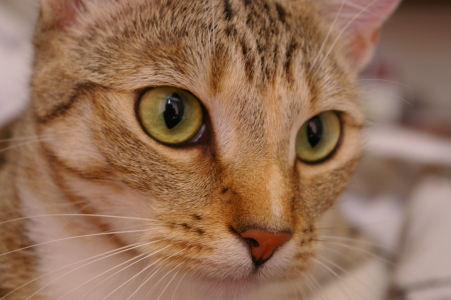
The earlier portrait comparison is a single source/output composite. These two new cases publish separate source photographs and untouched PNG exports, so readers can repeat the complete transformation. A coffee service tests manufactured contours against wood grain and reflections. A cat tests whether important facial landmarks survive when fur supplies far more edges than the eyes do.
The exact run behind these files
Both images were uploaded through the visible Photo to Line Art interface in the Codex in-app browser on macOS arm64, using a local static preview at 127.0.0.1:4173/linechange/. A long-running busy-status fault had first been repaired: the old percentage display could crash while waiting. The repair changed the status interface, with the same sketch model, worker, normalization and image conversion retained.
Each run finished with a visible result and a PNG saved through the download button. No mask, density setting, recoloring or output cleanup was applied. These are local-preview observations; the record does not establish production-origin behavior. The session included other work, so its elapsed window is not presented as processing speed.
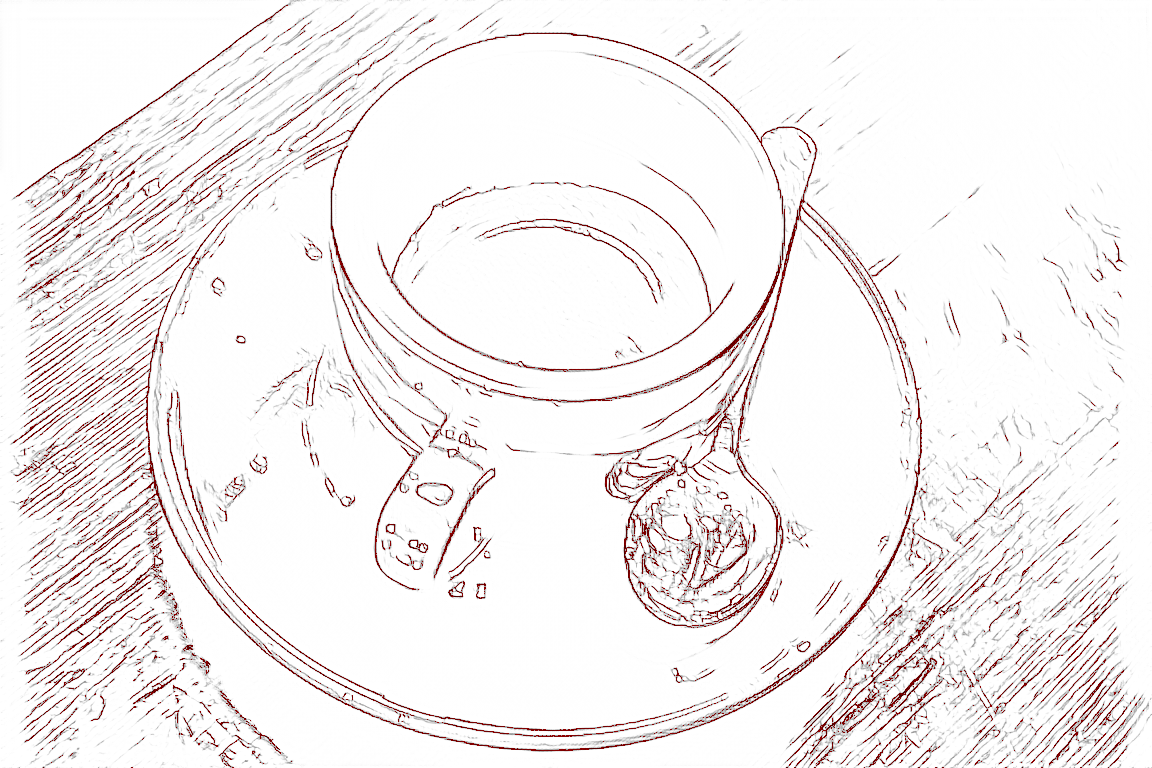
Coffee: the cup reads clearly, but its surroundings compete
Photo: Rachel Michetti · Coffee photograph courtesy of Pikolo Espresso Bar · CC0, as documented by scikit-image. The linked source is unchanged; the output is the newly recorded browser export.
The cup opening, handle and elliptical saucer remain immediately recognizable. Large pale interiors separate them from much of the scene. This supports using the export as a first structural tracing reference: the main objects have not dissolved into unrelated marks.
The difficult part is deciding which lines deserve to remain. Diagonal wood grain becomes a dense competing field, particularly at the left and lower-right edges. The saucer has several adjacent rim contours. Bright reflections on the spoon become nested fragments inside its outline, while spots on the handle become isolated loops. Those marks follow visible contrast, but they are not necessarily construction lines. Reject the raw export as a clean coloring page; select the main silhouette and remove background and reflection-derived clutter before that use.
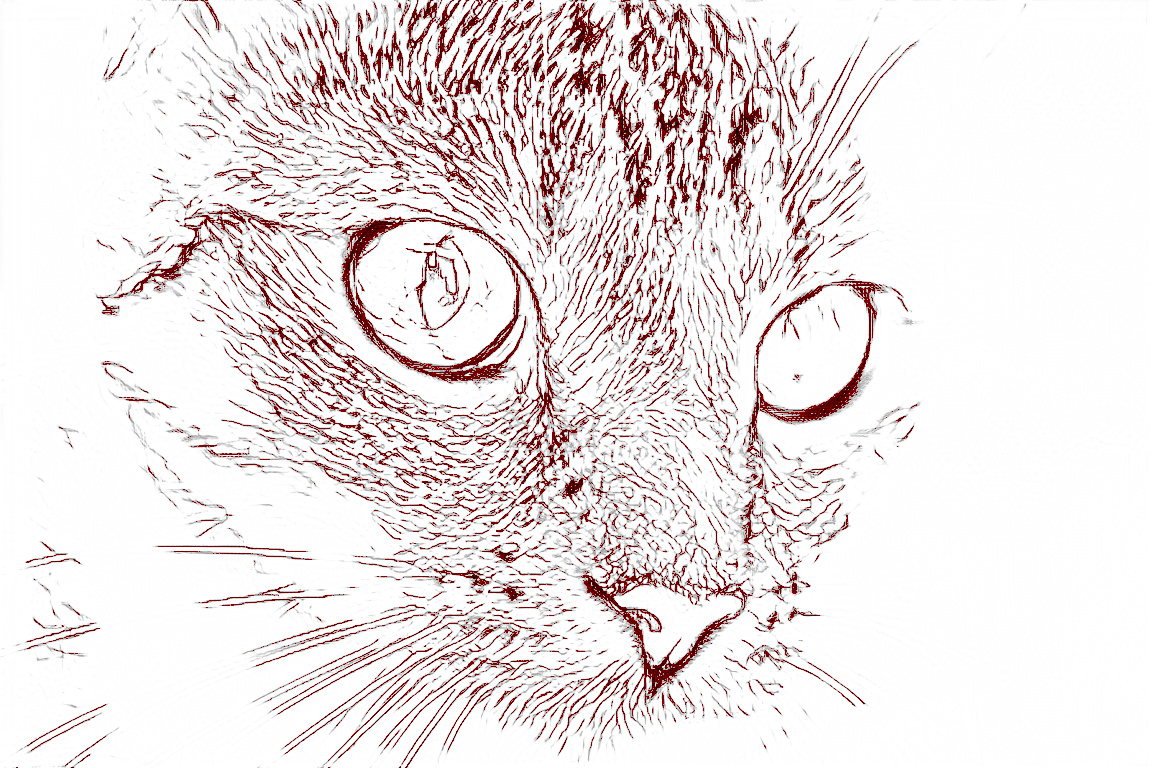
Chelsea: a recognizable face is not a faithful gaze
Photo: Stefan van der Walt · Chelsea the cat · CC0, as documented by scikit-image. The linked source is unchanged; the output is the newly recorded browser export.
The nose, eye surrounds and broad face structure survive. Forehead stripes and fine fur become strong, closely packed marks. Several long whiskers extending toward image-left also remain visible, but smaller strands break into fragments. The source already crops the ears and body, so incomplete framing is not a model reconstruction failure.
The pupils expose a more consequential loss. The image-left pupil becomes a thin internal contour instead of a dark filled shape; the image-right pupil largely disappears into the white eye interior. The cat is still recognizable, yet its gaze changes. For a portrait brief, that is a rejection condition even if the fur looks detailed. Restore the pupils from the original and choose meaningful fur lines before accepting the drawing. We did not perform that repair on the downloadable result.
What the file measurements can actually tell us
Actual source and output files, measured without resampling| Case | Source pixels | Output pixels | Near-white pixels | Non-gray pixels |
|---|
| Coffee | 600 × 400 | 1152 × 768 | 82.90% | 3.17% |
|---|
| Chelsea the cat | 451 × 300 | 1152 × 768 | 76.08% | 6.78% |
|---|
Both exports are 1152 × 768 pixels. The reviewed preprocessing sets the short edge to 768 and rounds the scaled long edge down to a multiple of eight; these files match that rule. Their larger dimensions do not establish recovered detail. Source and output sizes differ, so a direct pixel-error score would require additional alignment choices that this review does not make.
“Near-white” means every RGB channel is at least 250. “Non-gray” means the channels are not identical; the dark red marks visible in the exports make clear that these are not purely monochrome drawings. All alpha values are 255, so the white background is opaque. These counts describe file distribution, not contour accuracy, preserved identity or readiness for print. The cat has fewer near-white pixels while still losing important pupil information.
Repeat the test, then judge it at the intended size
Download either original, open Photo to Line Art, upload it unchanged and wait for a real result before downloading. Compare the cup opening, saucer, spoon, eye interiors and whiskers with the source. Inspect dense marks at full size, then view the drawing at its intended print or display size. Reject confusing edge hierarchies, missing landmarks or open regions that undermine the intended use. This raster export contains no editable vector paths.
Place the measurement script, coffee.png, chelsea.png and both named output PNGs in one folder. With Python, Pillow and NumPy installed, run python measure-artifacts.py to reproduce dimensions, hashes, opacity and threshold counts without rewriting images.
Actual run and patched-runtime fingerprints · Measurements and definitions · Artifact hashes · Source provenance and permissions
REFERENCE
Frequently asked questions
Why are there too many lines?
The source may contain strong texture, noise or a complex background.
Can I use it for coloring pages?
Yes, after checking that regions are clear and sufficiently enclosed.
Does it create vector files?
The current result is an image; vector tracing is a separate workflow.
Should I simplify the background first?
Usually yes when the subject is the main purpose of the drawing.