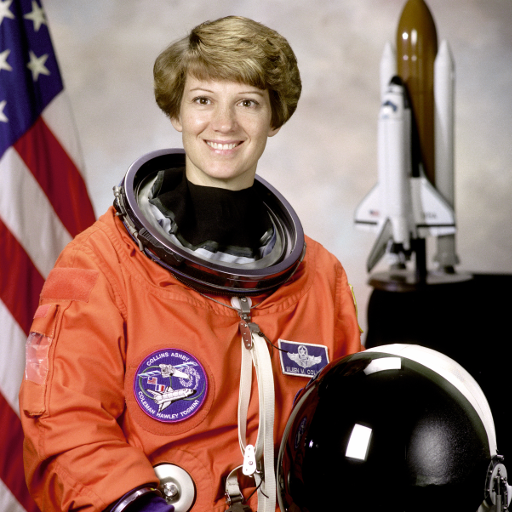
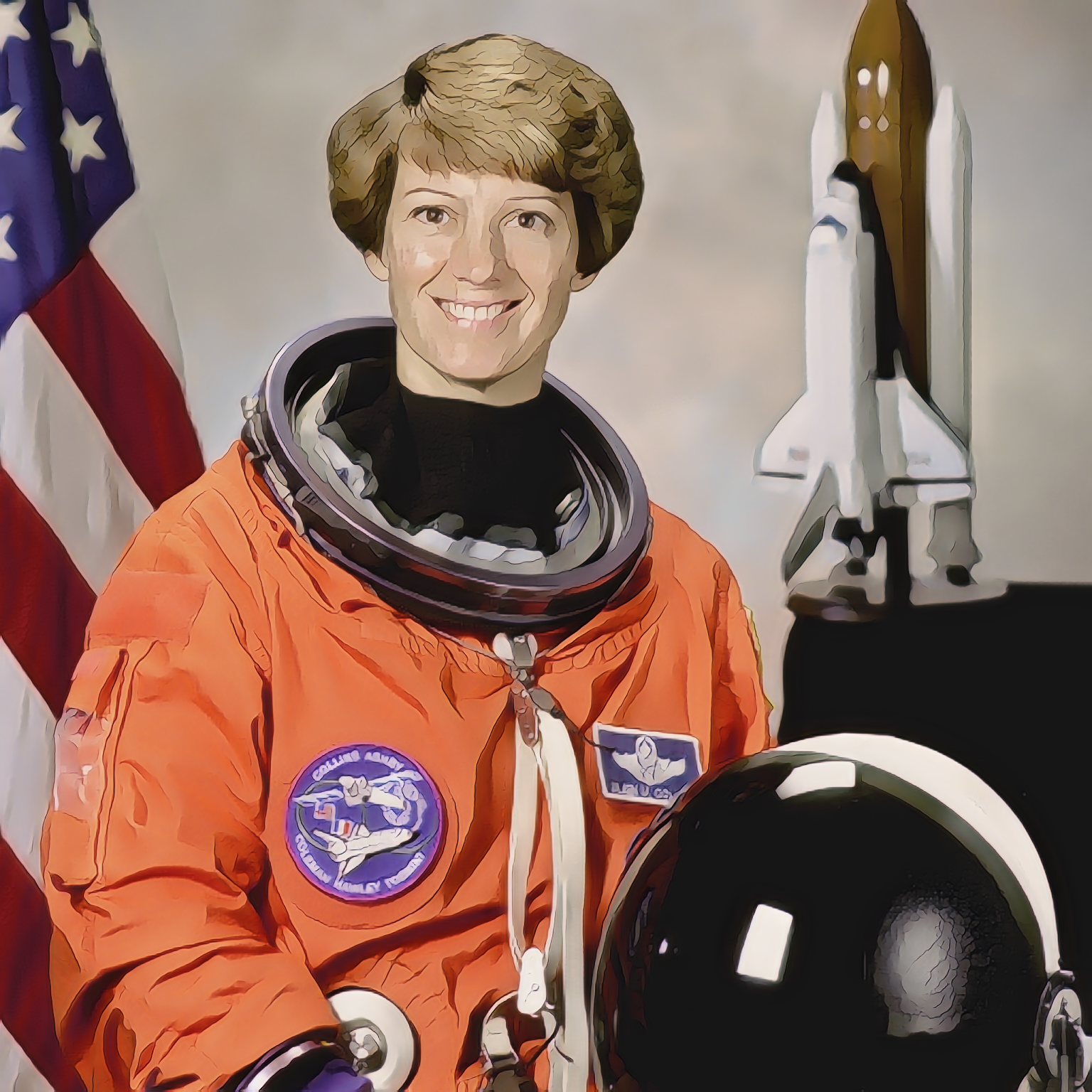
The earlier coffee and cat examples establish that conversion runs; they do not test a human face. This additional run uses the public-domain NASA portrait distributed with scikit-image. We selected the unchanged 512 × 512 PNG in Photo to Anime and allowed the default conversion to finish. We did not select HD, crop the face or retouch the output.
What stayed, and what needs review
The smiling pose, short hairstyle, orange suit and large dark helmet remain easy to recognize. The model redraws the eye surrounds, nose and smile as outlined color regions. Hair becomes broad angular bands, and a pale patch on the cheek is more pronounced. The suit badges retain their positions but their small lettering turns into distorted shapes. The shuttle model in the background is simplified too.
For an illustrated profile image, this is a usable starting point if the person accepts the changed appearance. It is unsuitable as an identification photograph or an accurate record of mission insignia. A single example does not establish likeness preservation across skin tones, ages, face angles or groups. Enlarging the file to 1536 × 1536 does not recover photographic detail.
Repeat this portrait workflow
- Download the source above and open Photo to Anime.
- Select the file and leave the default mode in place. Wait for the processing dialog to close and a stylized image to appear.
- Move the comparison divider across the eyes, mouth, hairline and badges. Inspect the result at full size as well as avatar size.
- Download the result and retain the source. Label a published version as AI-stylized, and choose a different source or a manual illustration if likeness or lettering must remain exact.
Source: NASA, public domain, via scikit-image astronaut documentation. This independent test does not imply NASA or the subject endorses the tool.
How this October result was recorded
Observed in the Codex in-app browser on macOS arm64 using the local release preview. The displayed PNG data was saved byte-for-byte without image re-encoding. The automation's download-event wait timed out, so this artifact alone is not evidence that a normal browser download completed. See the run record and file dimensions and SHA-256 hashes for the exact scope.
September experiments: earlier outputs, failures and measurements
STYLE-TRANSFER LAB · SEPTEMBER 7, 2026
A plausible picture can still contain a conversion error
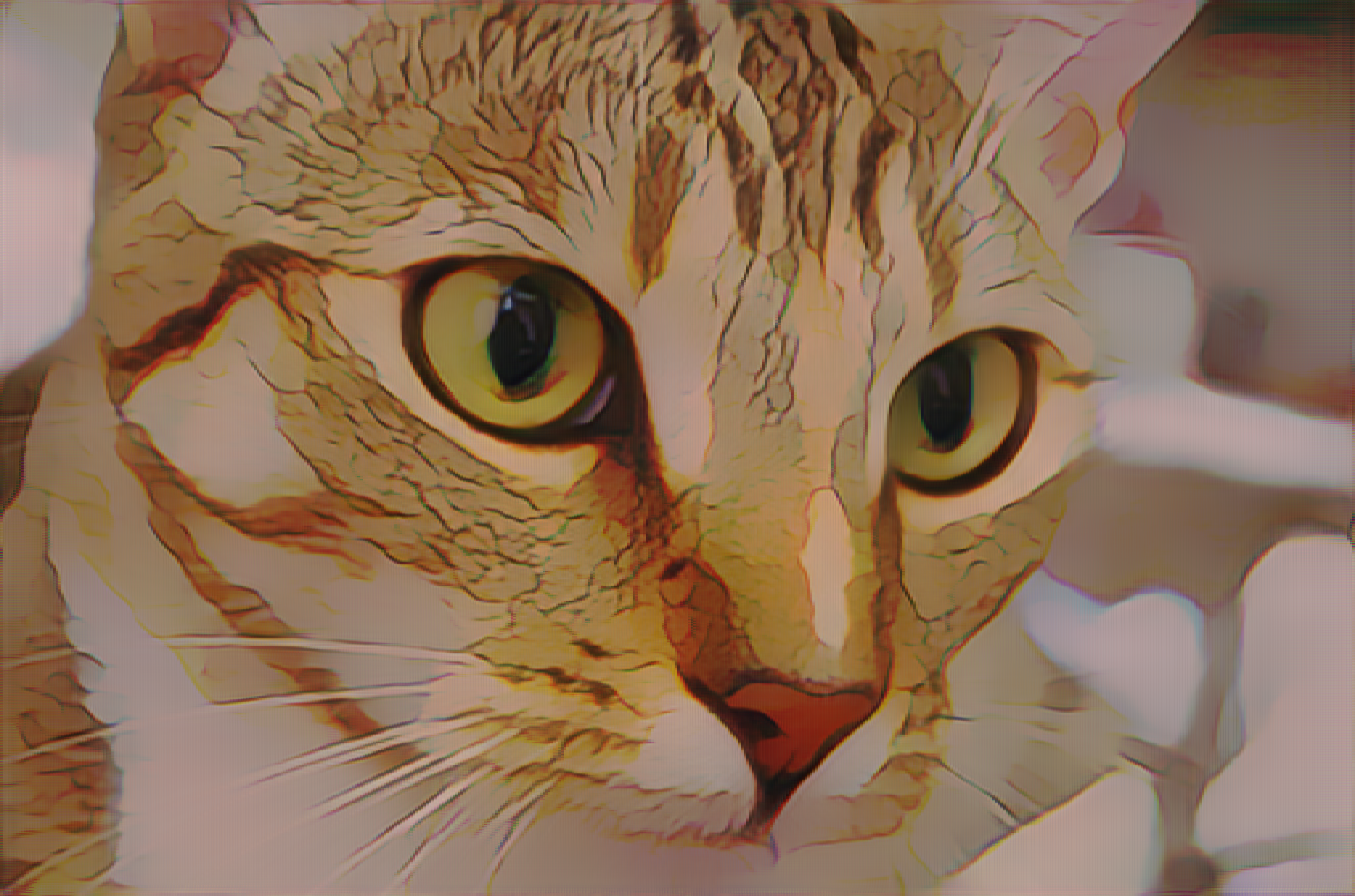
A repeated colored mesh is not automatically part of an anime treatment. Our first coffee and cat exports were recognizable, but fine grid patterns and colored fringes covered the pictures. Investigating that result exposed a pixel-channel conversion error. We kept those files, corrected the conversion and uploaded both original photographs again. The new outputs make the repair inspectable while also showing the texture changes that style transfer still introduces.
Two sources, four actual browser exports
The runs used the Codex in-app browser on macOS arm64 and the local preview at 127.0.0.1:4173/animatechange/. The first pair followed a repair to the waiting-status interface. Coffee and Chelsea were then rerun after the channel-layout fix, around 13:48 and 13:50 Asia/Shanghai. Every file came directly from the download button; no output was cropped, recolored or re-encoded.
We used the default automatic conversion and never selected HD. The model weights, worker and size rules stayed the same. These are local-preview observations; the old files below document the earlier conversion and do not represent the corrected version.
Fix the conversion before judging the style
The model expects each pixel’s red, green and blue values together. The recovered client instead grouped channels separately on input and read the returned channels in the wrong order. Correcting both boundaries changed the colors and patterns presented to the model and returned to the canvas. The model-layout review and eight source-level checks document that diagnosis. Those checks verify conversion logic; the fresh browser runs supply the separate image evidence.
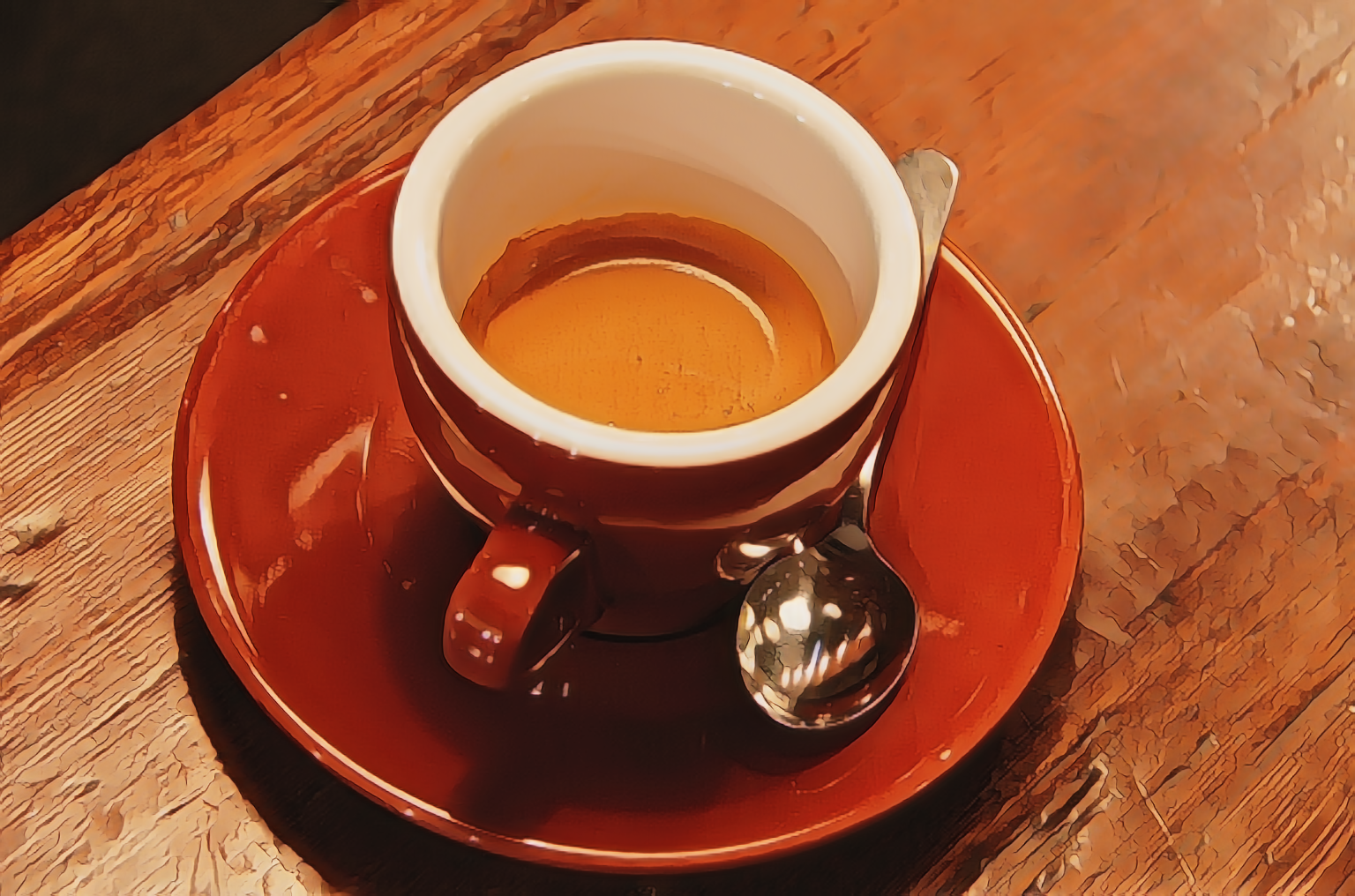
Coffee: continuous color returns, but wood and metal are reinterpreted
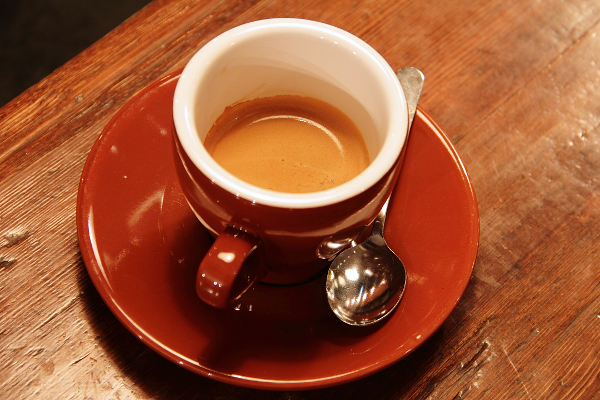
Photo: Rachel Michetti · Coffee photograph courtesy of Pikolo Espresso Bar · CC0, as documented by scikit-image. Source and both browser exports remain unmodified.
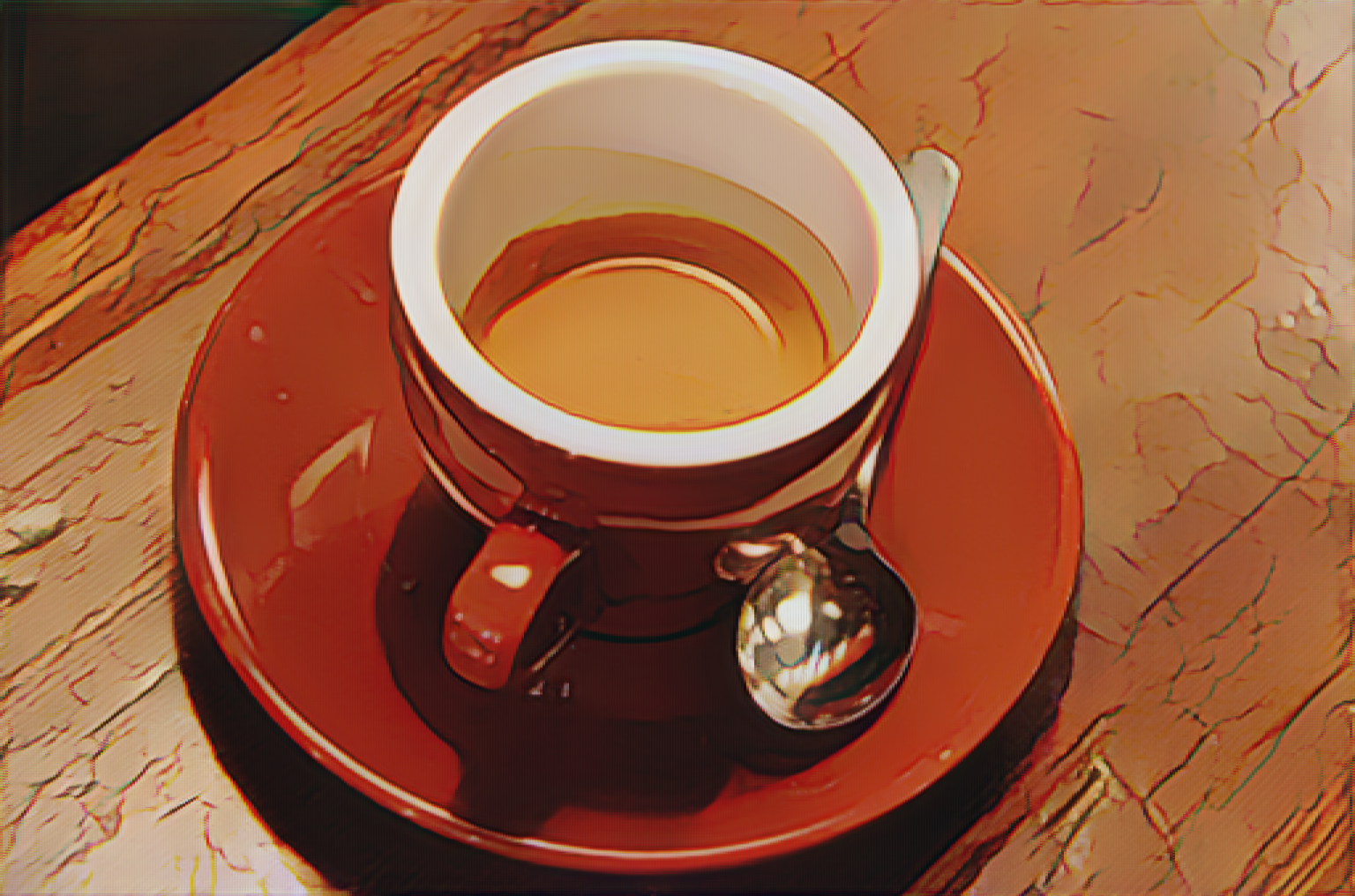
The old export retains the cup and saucer silhouette, which could make the fine grid look like an intentional finish. In the corrected run that prominent regular pattern is no longer apparent at ordinary inspection. The cup interior, porcelain and table form more continuous regions, and the broad arrangement of the handle, saucer and spoon remains readable.
That does not make the result a faithful product photograph. Fine wood grain becomes larger ridges and patches. The spoon’s reflection is reshaped into bright facets, while the liquid surface and cup shading are simplified. Accept it as a creative draft when those changes fit the brief. Reject it when the deliverable must preserve an item’s exact surface texture, material appearance or color.
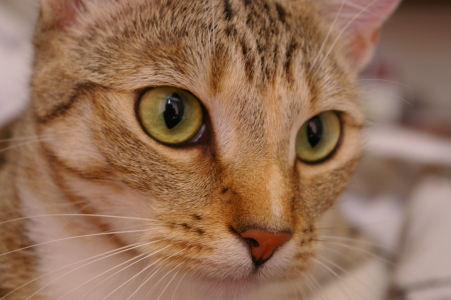
Chelsea: the pupils remain, while fur becomes painted structure
Photo: Stefan van der Walt · Chelsea the cat · CC0, as documented by scikit-image. Source and both browser exports remain unmodified.
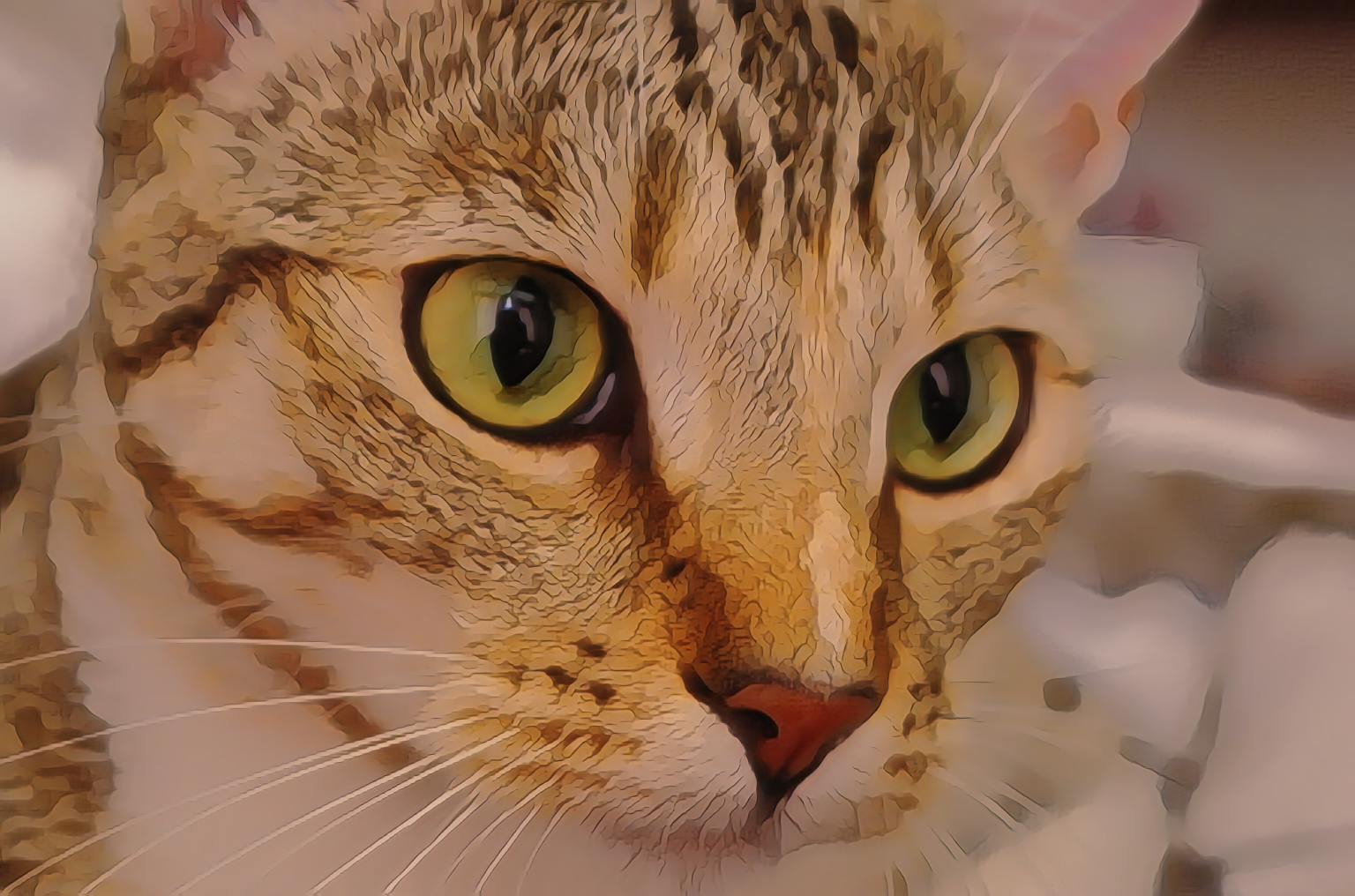
Both dark pupils, the eye surrounds, nose and broad stripe pattern remain recognizable in the new export. Several long image-left whiskers also survive. Compared with the old grid-covered image, the new face is organized into larger continuous color regions.
The fur is still substantially redrawn: narrow strands merge into angular segments and outlined patches, and the soft background becomes broad color fields. Short cheek details are reinterpreted. A recognizable cat is not proof of faithful fur or identity preservation. Compare pupils, nose shape, stripe placement and whisker connections with the source before approving a portrait treatment.
Separate a changed file from a quality score
Measured files; the final column compares equal-size old and corrected exports| Case | Source pixels | Each export | Mean absolute RGB difference |
|---|
| Coffee | 600 × 400 | 1536 × 1016 | 14.21 |
|---|
| Chelsea the cat | 451 × 300 | 1536 × 1016 | 11.32 |
|---|
All four exports are opaque 1536 × 1016 PNGs. This matches the default sizing rule, including its rounding of the short dimension. Larger dimensions do not establish recovered detail. The differences above use encoded RGB values on a 0–255 scale and confirm that the new files changed; they are not fidelity scores or a ranking of artistic quality. No resampled source comparison or processing-speed benchmark is claimed.
Repeat the corrected workflow with a clear acceptance test
Download an original, open Photo to Anime, upload it unchanged and wait for a visible result before saving. Inspect broad composition first, then eyes, reflections, small textures and colored edge artifacts at full size. Keep the source alongside the chosen stylized result and disclose the transformation when a viewer could mistake it for a photograph. The CC0 examples here provide traceable inputs; using someone else’s recognizable portrait still requires appropriate permission.
Place the measurement script, both sources and the four named output PNGs in one folder. With Python, Pillow and NumPy installed, run python measure-artifacts.py to reproduce dimensions, hashes, opacity and the old/new file differences without rewriting images.
Actual runs and corrected-runtime fingerprints · Measurements and definitions · Artifact hashes · Model-layout inspection script · Source permissions