SYSTEM DESIGN · LOCAL-FIRST
Building a Local-First AI Video Editor in the Browser
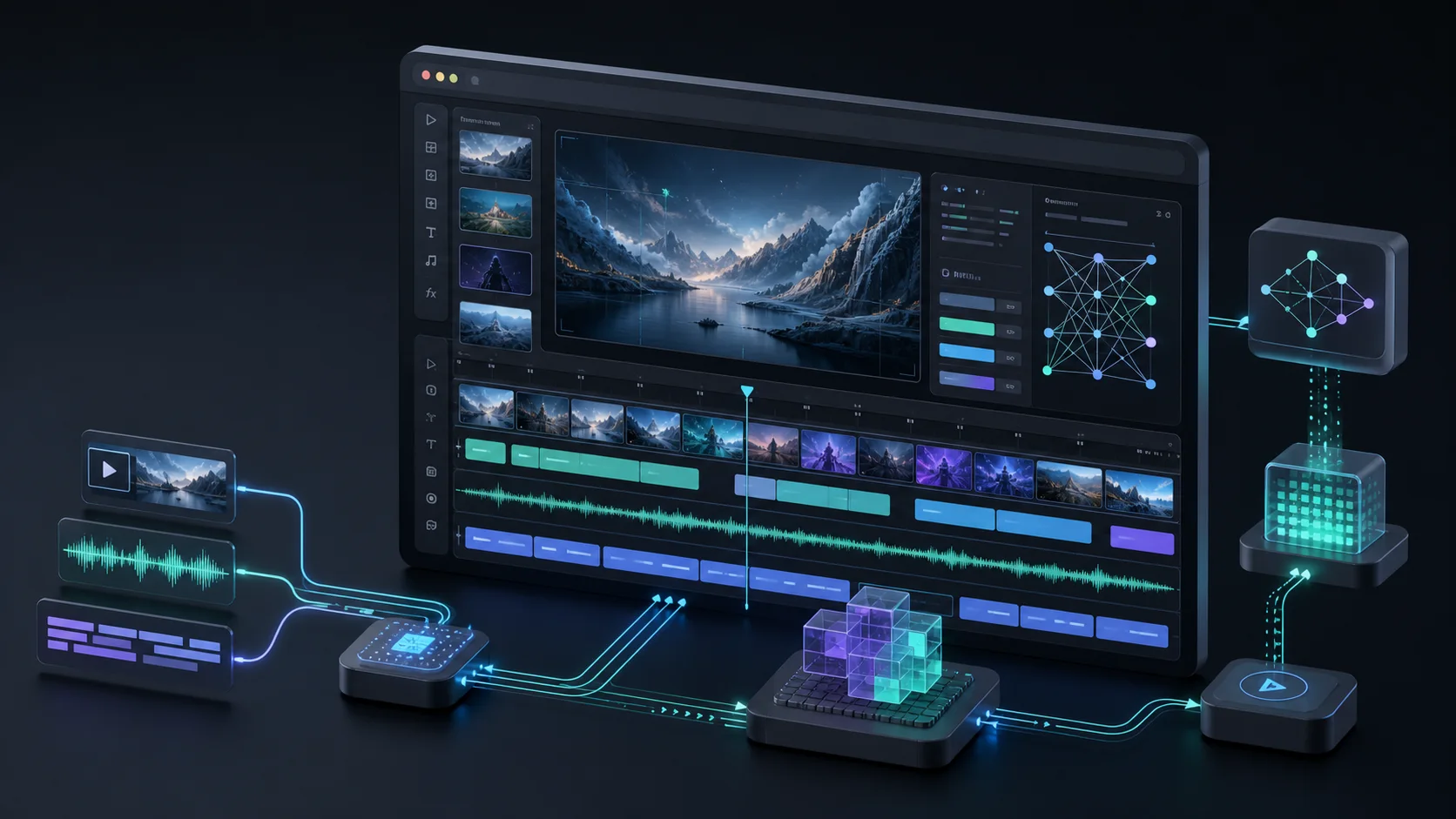
Timeline Studio is a React-based, local-first AI video editor. Voice synthesis, automatic captions, subject analysis, talking portraits and video export run as close to the user's device as the browser allows. The difficult part is not loading one neural network. It is coordinating inference, media state, rendering, caching and failure recovery so the result behaves like an editor rather than a model demo.

ARCHITECTURE RULES
Six decisions that hold the system together
- 01Treat local-first as an explicit set of privacy, storage, memory and compatibility tradeoffs.
- 02Lazy-load specialized models instead of downloading the entire AI stack at startup.
- 03Move inference, decoding and frame processing off the main thread with cancellable Workers.
- 04Insert every AI result into one timeline model shared by preview and export.
- 05Store video analysis as timestamped data rather than freezing a first-frame result.
- 06Pin model revisions and preserve a successful fallback export when transcoding fails.
Local-first is a systems constraint
Keeping source media in the browser reduces unnecessary uploads and waiting, but moves cost onto the client. Large model downloads, browser storage, memory pressure, execution-provider differences and codec support all become product concerns. Timeline Studio therefore treats local-first as a default processing boundary: media and core computation remain on-device where practical, models load from immutable revisions on demand, and remote dependencies remain visible rather than being hidden behind a local label.
Use specialized runtimes and load them late
No single model path handles every media task well. Piper and VITS ONNX cover Chinese and multilingual speech, Kokoro 82M handles English voice generation, Whisper small q8 handles captions, YOLOS tiny and MODNet handle visual analysis, and JoyVASA plus LivePortrait drive talking portraits. Each path initializes only when the relevant feature is used. Warm sessions are reused inside the current visit so the editor avoids both a huge startup download and repeated graph initialization.
Workers define the responsiveness boundary
Inference, audio decoding, full-video analysis and encoding can each block the browser's main thread. Timeline Studio isolates ASR, vision, avatar generation, enhancement and source separation in dedicated Workers. The UI receives structured progress while remaining interactive. This boundary also makes cancellation and recovery explicit: canceling a full-clip enhancement leaves the original clip untouched, while a suspect neural frame can be retried without discarding the whole render.
Make the timeline the destination for AI output
An editor cannot stop at a download button. Generated speech must be inserted at the playhead, captions must remain linked to the matching audio, overlapping clips need additional lanes, and every change must be visible to preview and export. Timeline Studio represents AI output as assets plus clips in one timeline model. Voice duration comes from decoded audio, linked captions follow the same timing by default, and visual state is resolved at the requested project time.
Video intelligence must be temporal
Detecting a subject on the first video frame and applying that geometry to the entire clip fails as soon as the subject moves. The editor pre-analyzes video at adaptive intervals and stores timestamped YOLOS boxes and MODNet mattes. Preview, smart crop, caption avoidance, background removal and export resolve the record for the current source time. Longer clips use a wider sampling interval to keep inference time and memory bounded.
Version caches and design resilient export
The service worker uses cache-first behavior for large model files and network-first behavior for the app shell. Model URLs are revision-pinned so a cached graph cannot silently drift from runtime assumptions. Export follows a similar hierarchy: use a native browser format where possible, load FFmpeg WASM only when MP4 conversion is needed, and preserve a successfully rendered WebM if the final transcode fails. Browser AI becomes dependable when failure states are designed as carefully as the successful path.
REFERENCE
Frequently asked questions
Does local-first mean the editor is fully offline?
Not initially. Application and model assets must be downloaded, but repeat sessions can reuse cached resources and source media does not need to be uploaded for the core workflow.
Why use several models instead of one multimodal model?
Specialized models offer better control over quality, memory, execution backends and lazy loading for each task.
Why must preview and export share the timeline model?
Separate state paths drift over time and create results that differ from what the user saw while editing.
Where can I try the editor?
Timeline Studio is available at video-editor.ai-creator.top and its source is linked from the project page.