PRACTICAL GUIDE
AI Image Upscaling: Resolution, Detail and Realistic Expectations
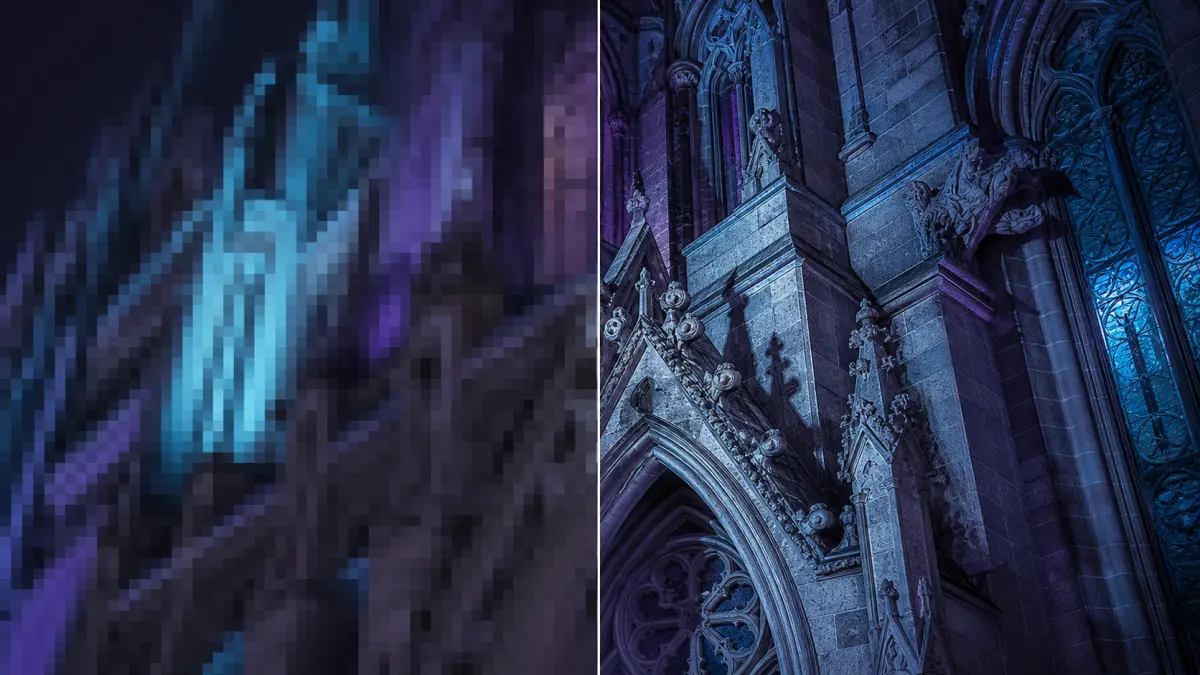
AI upscaling enlarges an image while estimating plausible high-frequency detail. It is useful for small web images, scanned photographs and draft creative assets, but it is not a time machine. The model cannot know exactly what information was lost. A good workflow combines a suitable source, conservative enlargement and a careful review at the intended display size.
CHECKLIST
Practical review checklist
- 01Define the final screen or print dimensions before choosing an enlargement factor.
- 02Use the least compressed source and avoid sharpening it aggressively before processing.
- 03Compare the AI result with a conventional high-quality resize instead of assuming AI is better.
- 04Verify faces, lettering, brickwork, fences and fabric for invented or repeated detail.
- 05Judge the result at its real delivery size and retain the original for factual or archival use.
Upscaling is more than resizing
Traditional interpolation creates new pixels by averaging nearby values. AI super-resolution uses patterns learned from many images to predict edges, textures and structures that commonly occur at higher resolution. This can produce a sharper-looking result, but predicted details are interpretations rather than recovered evidence. That distinction matters for faces, documents, scientific images and anything used as factual proof.
Start with the best original
Use the least compressed version you can find. Social-media downloads and repeated JPEG saves introduce blocks, ringing and smeared texture that may be amplified by an enhancement model. Crop only after considering the final composition, and avoid sharpening the image aggressively before processing. If the source contains strong noise, a light denoise step can help, but excessive smoothing removes the real structure the model needs.
Choose an enlargement based on output
Decide where the image will appear before selecting a scale. A small website card may need less resolution than a printed poster. Enlarging in one moderate step usually produces a more coherent result than repeatedly processing the same image. Compare the enhanced version with a simple high-quality resize; if the AI result invents distracting texture, the conventional resize may be more faithful.
Review faces, text and repeating patterns
Faces can acquire artificial eyelashes, teeth or skin texture. Small text may become letter-like shapes that are still incorrect. Brickwork, fabric and fences can develop repeated patterns or wavy edges. Inspect these areas at 100 percent and at the final viewing size. Do not rely on the enhanced image for identity verification, archival transcription or medical interpretation.
Performance and privacy
Browser-based models can be large and may use significant memory during processing. Keep the tab active and close other memory-heavy applications if the browser becomes unstable. Local-first execution can keep the selected file on the device for the main workflow, but users should still review the tool disclosure and their browser storage settings.
REFERENCE
Frequently asked questions
Does upscaling restore the exact original detail?
No. It predicts plausible detail and cannot reconstruct information with certainty.
Can it fix a badly blurred photo?
It may improve perceived sharpness, but severe motion or focus blur usually remains.
Should I upscale more than once?
Repeated AI enhancement often compounds artifacts, so one intentional pass is usually safer.
Is the result suitable for printing?
Possibly, but inspect it at the intended physical size and account for the printer's resolution requirements.